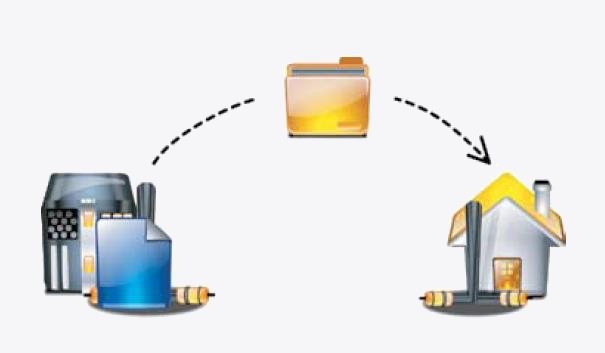
Question: I want to transfer one latest file from my ftp server share and I want to automate this task through shell script to download latest file from my FTP server, And I don’t know what is the Operating System at server end(This is ultimate sentence I hear from the user today in my office 🙂 )?
Question: I want to write a script to login to FTP server and rename some files, how can I automate this?
Ans: With normal ftp client it’s bit difficult to automate this task using Shell or PERL script. There is a package called curlftpfs in Linux which mount our ftp server shared data as local machine. So on this mounted drive we will run our script to automate this task. What are the features this package can support extra when compared to normal ftp clients like filezilla and ftp commands?
1)SSL support
2)Connecting through tunnelling HTTP proxies
3)Automatically reconnecting if the server times out.
4)Can mount ftp server share as we do for Samba/NFS shares.
5)Automate ftp transfers.
Step 1: Installing package on Linux
Installing curlftpfs on Ubuntu/Debian
apt-get install curlftpfs
Installing curlftpfs Redhat/CentOS/Fedora
rpm -ivh fuse-curlftpfs-0.9.1-1.el5.rf.i386.rpm
Step 2: Once the package installed we have to create a mount point and mount our ftp server data using curlftpfs command, for which we must have ftp username/password. Here are my details..
My ftp User: surendra_a
My ftp password: redhat
My ftp Server: ftp2.linuxnix.com
My mount point: /ftpmount
Now create the mount point and mount ftp account data.
#mkdir /ftpmount
#curlftpfs -o allow_other surendra_a:redhat@ftp2.linuxnix.com /ftpmount
Here option allow_others is used to Allow access to other users. By default the mount point is only accessible to the user who mounted it and not even to root. The remaining command is self explanatory.
Step 3: Testing our set-up
Check if you are able to see the ftp data
#cd /ftpmount
#ls
Sample output:
2010-08-16.txt common-auth-ubuntu fulll12.txt
What about df -hs command output?
Sample output
Filesystem Size Used Avail Use% Mounted on
 /dev/sda1 23G 5.4G 17G 25% /
 none 1.5G 300K 1.5G 1% /dev
 none 1.5G 2.9M 1.5G 1% /dev/shm
 none 1.5G 128K 1.5G 1% /var/run
 none 1.5G 0 1.5G 0% /var/lock
 /dev/sda7 404G 88G 296G 23% /data
 /dev/sda5 23G 10G 12G 46% /home
 /dev/sr0 3.2G 3.2G 0 100% /media/My Disc
 curlftpfs#ftp://surendra_a:redhat@ftp2.linuxnix.com/ 7.5T 0 7.5T 0% /ftpmount
Step 4: So what about mounting it permanently?. We can do it by editing fstab file in /etc folder
#vi /etc/fstab
go to last line and type below line
curlftpfs#ftp://surendra_a:redhat@ftp2.linuxnix.com/ /ftpmount fuse defaults 0 0
Let me explain what the above line indicates..
We are mentioning mount user surendra_a data which is on ftp2.linuxnix.com server on to /ftpmount using fuse file system with default settings.
Step 5: What about unmounting this drive?
#umount /ftpmount
Enjoy new learning of mounting ftp server. Stay tuned to my other post on how to mount sshfs file system locally.


Latest posts by Surendra Anne (see all)
- Docker: How to copy files to/from docker container - June 30, 2020
- Anisble: ERROR! unexpected parameter type in action:
Fix - June 29, 2020 - FREE: JOIN OUR DEVOPS TELEGRAM GROUPS - August 2, 2019
- Review: Whizlabs Practice Tests for AWS Certified Solutions Architect Professional (CSAP) - August 27, 2018
- How to use ohai/chef-shell to get node attributes - July 19, 2018